
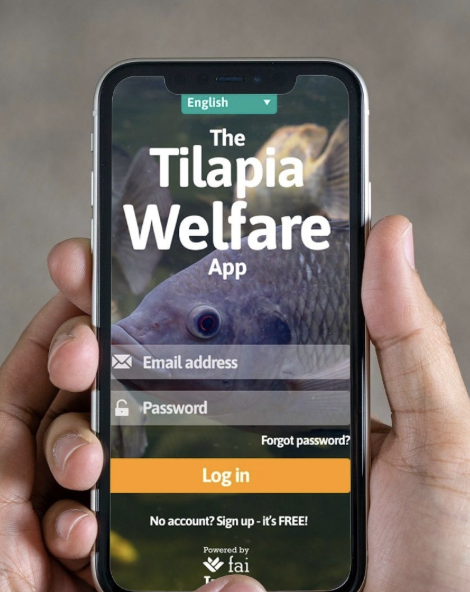
Webinar: How to Use the FAI Tilapia Welfare App 2
Learn how to set up farms and carry out tilapia welfare assessments using the FAI Tilapia Welfare App.
Kursus ini merupakan bagian dari satu atau beberapa jalur pembelajaran.
Gratis
Tentang kursus ini
ABOUT
This webinar is designed for tilapia technicians, farm managers, and professionals supporting farm operations who want to confidently use the FAI Tilapia Welfare App. You will learn how to set up farms in the app, conduct welfare assessments, and prepare to guide others through the process.
WHO SHOULD ATTEND
This webinar is ideal for:
- Tilapia technicians and field officers conducting routine farm assessments
- Farm managers and supervisors overseeing tilapia production
- Technical staff and trainers preparing to support other app users
WEBINAR AGENDA
1. Welcome & Objectives
- Introduction to the facilitator and participants
- What you will learn in this session
2. Overview of Tilapia Welfare & the App (10 min)
- Why fish welfare matters
- Key welfare indicators for tilapia
- Introduction to the app: purpose, benefits, and how it supports welfare improvements
3. App Walkthrough: Features & Navigation
- How to download and set up the app
- Creating an account and configuring settings
- Creating or editing a farm profile
- Inviting other assessors
- Starting, completing, and saving assessments (online and offline)
- Viewing and sharing assessment reports
- Recommendations and tips for practical use
4. Q&A and Wrap-Up
- Open time for participant questions
- Where to find support resources and printable materials
YOUR NEW SKILLS
By the end of this webinar, you will be able to:
- Navigate the FAI Tilapia Welfare App
- Set up farms and configure user accounts
- Conduct welfare assessments using the app
- View and share assessment reports
- Support or train other users in the proccess.
HOW TO JOIN
This is a live online webinar. After you enrol, the access link will appear in your FAI Academy dashboard.
WHAT DO I NEED TO JOIN
You will need:
- A computer, or tablet
- You can join on your phone, but the screen may feel a bit small
- Internet access
- A recommended browser (Chrome, Edge, Firefox, or Safari)
DO I GET A CERTIFICATE?
Yes.
By attending the webinar, you will receive a certificate. It will appear in your Achievements area, where you can download it or share the certificate link on social media or email.